For 2GB RAM devices, the best Free Fire settings are low graphics, stable sensitivity, and optimized background performance. You should avoid high FPS and extreme sensitivity because they cause lag and unstable aim.
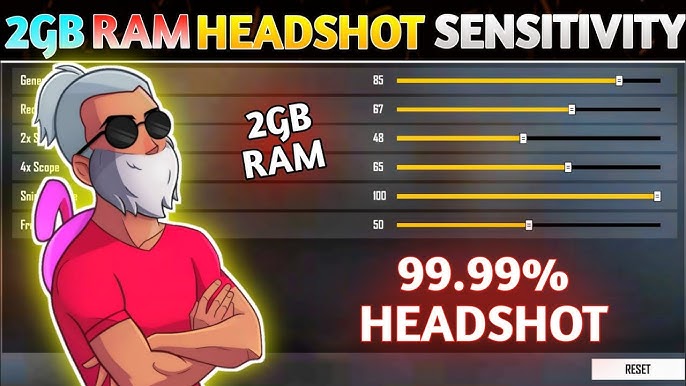
Why 2GB RAM Devices Struggle in Free Fire
Free Fire is optimized for low-end devices, but that does not mean it runs perfectly on all phones.
A 2GB RAM device has limited resources:
- Limited processing power
- Weak GPU performance
- Lower memory handling
Because of this, your game may face:
- Frame drops
- Input delay
- Lag during fights
If your device is lagging, even perfect sensitivity will fail.
Best Graphics Settings for 2GB RAM Devices
| Setting | Recommended Value |
|---|---|
| Graphics | Smooth |
| High FPS | Off |
| Minimize Lag | On |
| Shadow | Off |
| Auto Scale | On |
Why These Settings Work
- Smooth graphics reduce load on GPU
- Turning off High FPS prevents overheating
- Minimize lag stabilizes gameplay
- Disabling shadows improves performance
You are not trying to make the game look good. You are trying to make it run stable.
Best Sensitivity Settings for 2GB RAM Devices
| Setting | Recommended Value |
|---|---|
| General | 80 – 85 |
| Red Dot | 75 – 80 |
| 2x Scope | 65 – 70 |
| 4x Scope | 55 – 60 |
| AWM Scope | 45 – 50 |
Why Lower Sensitivity Works Better
On low-end devices:
- High sensitivity causes shaky aim
- Lag makes fast movement inconsistent
Lower sensitivity gives:
- Better control
- More stable aim
- Improved accuracy
If you want exact values based on your device, use:
FFSensitivity Sensitivity Generator
Performance Optimization Tips (Most Important Section)
1. Close Background Apps
Running apps in the background consumes RAM. Close everything before starting the game.
2. Free Up Storage
Keep at least 3–5 GB free space. Low storage slows down your phone.
3. Use Game Booster
Many Android devices have built-in game boosters. Enable them to improve performance.
4. Reduce Notifications
Disable notifications while gaming. They interrupt performance and cause lag spikes.
5. Keep Phone Cool
Overheating reduces performance. Avoid playing while charging.
Common Mistakes That Cause Lag
1. Turning On High FPS
Most 2GB devices cannot handle it. It leads to frame drops instead of smooth gameplay.
2. Using Ultra Sensitivity
High sensitivity combined with lag creates uncontrollable aim.
3. Playing on Full Brightness
High brightness increases device load and battery drain.
4. Ignoring Network Stability
Lag is not always device-related. Poor internet causes delays and stuttering.
Best Gameplay Strategy for Low-End Devices
You cannot play aggressively like high-end device users. You need a smarter approach.
Recommended Playstyle:
- Avoid unnecessary close fights
- Focus on positioning
- Use cover effectively
- Engage in controlled battles
Your goal is consistency, not flashy gameplay.
Combine Settings with Character Strategy
Performance is not only about sensitivity. Character skills also matter.
Using the right combination improves your survival chances.
Check optimized combinations here:
Free Fire Character Combos Tool
Sensitivity vs Device Performance
Here is the reality:
| Factor | Impact Level |
|---|---|
| Device performance | Very High |
| Sensitivity | High |
| Skill | Medium |
If your device is weak, sensitivity alone cannot fix your gameplay.
When Should You Upgrade Your Device?
If you experience:
- Constant frame drops
- Frequent lag in fights
- Delayed touch response
Then optimization will only help to a certain level. Beyond that, hardware becomes the limitation.
FAQs
Q1. Can Free Fire run smoothly on 2GB RAM?
Yes, but only with optimized settings and controlled gameplay.
Q2. Should I use high sensitivity on low-end devices?
No. It causes unstable aim and reduces accuracy.
Q3. Is lag always caused by device performance?
No. Network issues can also cause lag.
Q4. Does graphics quality affect sensitivity?
Indirectly. Lower graphics improve FPS, which improves aim stability.
Conclusion
For 2GB RAM devices, the priority is not aggressive gameplay or high sensitivity. The priority is stability.
By using low graphics, balanced sensitivity, and proper optimization, you can achieve smooth gameplay and consistent performance.